
Two notification layers, one scoreboard
The widespread mistake is to treat Player11 as a single notification channel — switch one toggle and expect every match signal to reach the lock screen. In practice the app delivers alerts on two parallel rails: an in-app alert layer that only fires while the contest lobby or scoreboard is open, and a push notification layer dispatched by the operating system that reaches the lock screen, notification shade or wearable even when the app is closed.
They share the same trigger catalogue — lock-in windows, toss updates, captain multiplier confirmations, contest settlements, withdrawal credits and the welcome-offer marketing line — but they use different delivery rails and reward different reading habits. The right layer for a reader depends on whether the app is open, whether the contest is live, and whether the signal is time-critical or informational. This brief does not promise that either layer will turn a losing XI into a winning one. What the two layers do is surface the same match facts at different speeds and through different windows; the rest is the reader's decision on top of the signal.
Most readers never touch the in-app notification settings inside Player11. They grant the operating-system push permission at install, accept the default in-app toggles, and then complain — quietly — that the app is either too quiet on the day of a paid contest or too noisy on the morning after. Both complaints are configuration issues, not product defects. The settings live inside the app; the framework for reading them is below.
01. In-app alerts — what they are and what they do well
An in-app alert is a banner that surfaces inside Player11 while a specific screen is open. The most common surface is the contest lobby, where a top banner announces a lock-in window closing in two minutes or a captain pick is yet to be set. The second most common surface is the scoreboard tab, where an in-app alert fires when a player's points cross a milestone — a fifty, a five-wicket haul, a hat-trick dot run. The third surface is the wallet screen, where an in-app alert fires when a withdrawal or a KYC re-check has cleared.
What in-app alerts do well is contextual delivery. Because they fire only while the matching screen is open, they are tightly coupled to the reader's current task. A lock-in alert that fires inside the contest lobby is read by a reader who is already building an XI; a settlement alert that fires inside the wallet screen is read by a reader who is already checking a balance. The cost of being wrong is low — the alert is shown to a reader who can act on it, or it is hidden until the relevant screen is opened. The cost of being silent is also bounded; if the reader is not on the matching screen, the alert is not the right tool for that moment.
The limit is reach. An in-app alert cannot wake the lock screen, cannot fire on a wearable, and cannot deliver a signal when the reader has switched apps to read a score update elsewhere. That limit is not a defect — it is the trade-off that makes in-app alerts cheap to operate and easy to suppress. The right framing is that in-app alerts are the high-trust, low-reach layer: precise on context, silent when the reader is elsewhere.
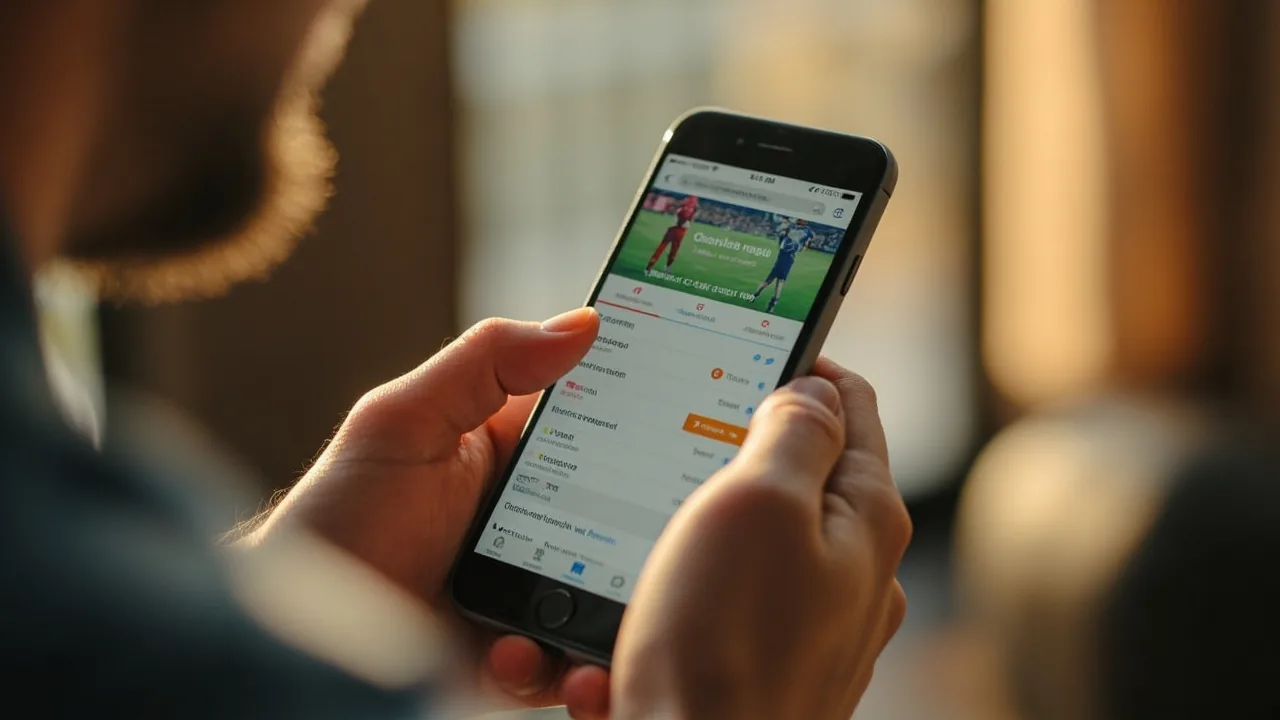
02. Push notifications — what they are and what they add
A push notification is dispatched by Player11's server through the operating system's notification service — Firebase Cloud Messaging on Android, Apple Push Notification service on iOS — and surfaces on the lock screen, the notification shade, a paired wearable or the always-on display. The reader does not have to have the app open. The reader does not have to have unlocked the phone in the last hour. The push notification layer is built for the case where the alert has to cross the boundary between the app being live and the reader being somewhere else.
What push notifications add is reach. A lock-in alert at the contest lobby and a push notification about the same lock-in reach different states of attention: the first reaches a reader who is already inside the contest-lobby context, the second reaches a reader who is on the bus, in a meeting, or at the stadium in person. The trade-off is that the push layer carries less context. A lock-screen banner can carry a title, a short body and a deep link; it cannot carry the contest lobby's current score, the captain pick options and the credit budget all at once. Push notifications are the high-reach, low-context layer.
The limit is signal-to-noise. The push notification layer is shared with every other app on the phone, and the operating system applies its own rate caps and bundling rules when the reader has not opened the app in a while. Player11 cannot out-shout a WhatsApp group, a banking OTP and a calendar reminder all firing in the same minute. The push notification layer rewards the reader who keeps the category set tight — five or six high-signal categories — and lets the operating system filter the rest. A reader who has every category switched on is reading a reader who has effectively muted the layer, because the operating system will.
The second limit is permission. The push layer only works if the operating-system permission is granted at install or accepted later. If the reader denies the permission at install, no amount of in-app toggle adjustment will re-enable it; the reader has to revisit the operating-system settings. The in-app notification screen inside Player11 explains this and links to the right screen on both Android and iOS.
03. Side-by-side — what each layer actually answers
The cleanest way to read the difference is to put the questions side by side. In-app alerts answer what just changed on the screen I am reading; push notifications answer what just changed in the contest, regardless of where I am. In-app alerts are screen-bound; push notifications are state-bound. In-app alerts fire in real time only while the app is foregrounded; push notifications fire in real time across lock screen, notification shade and wearable.
| Question | In-app alert | Push notification |
|---|---|---|
| Does it fire when the app is closed? | No — only while a matching screen is foreground | Yes — reaches lock screen, shade, wearable |
| Does it fire on the lock screen? | No — it never leaves the app | Yes — that is the primary surface |
| Can it carry the contest scoreboard inline? | Yes — the matching screen already shows it | No — push bodies are short; deep-link into the lobby for the full picture |
| Can it wake a paired wearable? | No — wearable alerts are an OS-level construct | Yes — pushed via the OS notification service |
| What happens if the reader denies OS notification permission? | Unaffected — in-app alerts do not need OS permission | Layer is silent until the reader grants permission in OS settings |
| Which signals are reliable here? | Lock-in, captain-multiplier confirmation, score milestones on a live screen | Lock-in, toss, contest settlement, withdrawal credit, bonus-credit expiry |
| Which signals are noise here? | Marketing offers, repeated captain-pick reminders | Cross-promotional offers, low-priority bonus nudges |
| How is it throttled? | Per-category in-app cap; suppressed during dead-ball periods | OS-level rate cap; bundling when the app has not been opened recently |
The table is the practical answer to which layer should I rely on right now. The two layers are not competing; they are complementary. In-app alerts are the layer you read while the app is open and the contest is live. Push notifications are the layer you read while the app is closed and the contest is still relevant.
04. The decision framework — which layer to keep on, and when
The decision has three layers. The first is the question the reader is trying to answer. The second is whether the reader is in front of the app or away from it. The third is how much noise the reader is willing to absorb in exchange for a time-critical signal. A useful working rule is that in-app alerts are reliable for actions the reader is about to take on the screen in front of them, and push notifications are reliable for events the reader cannot afford to miss when the app is closed. Anything outside those two cases is a low-priority signal that should be turned off in both layers.
The framework below is the one the editorial desk walks a new reader through on the first paid contest. It is deliberately short, because the reader's attention is on the team sheet, not on the notification settings.
- Keep lock-in alerts on at the push layer for every paid contest. The lock-in window is the single most time-critical signal in the app. Missing it costs the entry fee. The push layer is the only one that reaches the reader when the app is closed.
- Keep contest-settlement alerts on at the push layer. The settlement alert confirms the contest has been scored and any winnings have been credited. The push layer reaches the reader even if they have switched to a score-watching app for the final over.
- Keep captain-multiplier confirmation on at the in-app layer. The captain multiplier is set inside the contest lobby; an in-app alert that fires while the lobby is open is the precise surface for confirming the 2× is loaded.
- Keep withdrawal-credit alerts on at both layers. The wallet screen in-app alert confirms the credit; the push layer confirms it even if the reader is not in the app when the credit clears. Both surfaces, same signal.
- Turn offer-alerts and cross-promotional banners off at both layers. Welcome-offer reminders, deposit-cap nudges and contest-recommendation banners add noise to both layers without changing any decision the reader can make in the next ten minutes.
- Re-check the operating-system permission at the start of every tournament window. Android and iOS sometimes revoke notification permission after a long absence, an OS update or a battery-saver event. The in-app notification screen inside Player11 surfaces the current state and links to the right OS-level toggle.

05. Common traps — where readers misconfigure one layer or the other
The traps below are the ones the editorial desk sees most often in reader correspondence. None of them is a defect in the app — they are configuration mistakes that the reader can fix in under a minute.
- Treating push notifications as a marketing channel. The push layer is the same layer that delivers lock-in alerts and contest settlements. Muting all push notifications to silence a marketing nudge also mutes the time-critical signals. Use the per-category toggle inside the app, not the master OS switch.
- Expecting in-app alerts to reach the lock screen. In-app alerts cannot leave the app. A reader who has the push layer turned off will not see anything on the lock screen, even if every in-app toggle is on.
- Switching off the in-app layer to reduce visual clutter. The in-app layer is the only place where the captain-multiplier confirmation fires. Switching it off means the captain slot has to be re-verified manually inside the contest lobby before every contest.
- Ignoring the OS permission after a phone reset. After a factory reset, an OS upgrade or a new-device migration, the push notification permission has to be re-granted. The in-app notification screen will show the layer as enabled while the OS layer is silently denied. Both have to be true for the push layer to work.
- Leaving offer-alerts and bonus-nudges on. Welcome-offer reminders and bonus-credit nudges fire frequently and crowd out the contest-relevant signals. The default in-app setting includes them for new accounts; turning them off does not affect any contest-relevant alert.
- Reading the in-app notification settings as a single switch. Player11 exposes the notification preferences as a per-category list. A reader who wants lock-in alerts but not offer alerts can keep the first and drop the second; the master switch is only for emergency silencing.
06. Limits the layers cannot cross
Neither layer is a forecasting tool. In-app alerts confirm what just changed on the screen in front of the reader; they do not predict what the next over will do. The captain pick — the single highest-leverage decision in any XI — sits on top of both layers, not inside them.
A second limit is signal timing. The push layer dispatches a banner when the trigger fires, but the operating system can delay the surface when the phone is in low-power mode, when the reader has Do Not Disturb enabled, or when the reader has not opened the app in several days. The push layer is best-effort, not guaranteed. The honest framing is that push notifications reach the reader when the reader has set the phone up to be reached.
A third limit is feature scope. Some signals — the captain multiplier, the saved-XI swap confirmation, the KYC document upload status — are deliberately scoped to the in-app layer because the action they enable lives inside a specific screen. Push notifications for those signals would either be empty (a deep-link with no context) or redundant (the same screen the reader has just opened). The two layers are designed around complementary signal types, not interchangeable ones.
07. What changes between the two layers in the next season
The editorial desk does not know the precise shape of the next build. The two notification layers are part of the live app and their behaviour changes between builds in the same way any feature area does. The version cadence and release-note behaviour for Player11 is covered in a separate brief on the app hub; that page is the right starting point for any reader who wants to know how a feature area evolves between builds.
What the editorial desk expects, based on the trajectory of recent builds, is that the per-category toggles inside the in-app notification screen become finer. The trend across recent tournament windows has been towards thinner signal categories — separating lock-in from captain-multiplier confirmation, separating contest settlement from withdrawal credit, separating offer alerts from offer-expiry alerts. Finer categories give the reader more configuration control and let the operating system filter more aggressively.
A second expected direction is that the push layer learns to honour the operating system's Focus modes more cleanly. On iOS, Focus modes already suppress push notifications from non-essential apps; on Android, the equivalent priority tier is now respected by most notification surfaces. The Player11 push layer is expected to honour these tiers in future builds, so that a reader with a Cricket Focus mode enabled will receive match signals but not welcome-offer nudges.
Reader questions
What does an in-app alert do that a push notification does not?
In-app alerts fire only while the app is open in the foreground. They surface as banners inside the contest lobby, scoreboard tab or captain picker. Push notifications reach the lock screen, notification shade or wearable even when the app is closed.
Can I get Player11 push notifications on a phone where the app is closed?
Yes — that is exactly what push notifications are for. As long as the operating system permission is on and the relevant in-app category toggle is enabled, Player11 can dispatch a lock-screen banner without the app being open.
Why am I getting fewer in-app alerts than I used to?
The app applies a per-category frequency cap and suppresses low-signal alerts during dead-ball periods. If a category has gone quiet, check the in-app notification settings rather than reinstalling the app.
Which Player11 alerts should stay on during a paid contest?
Lock-in, toss, captain-2× confirmation, contest settlement and verified withdrawal credit. Marketing and offer alerts can be turned off without losing any contest-relevant signal.
Do push notifications drain battery faster than in-app alerts?
Push notifications require the app to maintain a persistent connection with the dispatch service; in-app alerts do not. With Player11's default category set, the difference on a modern phone is small. The larger cost is notification churn from categories the reader does not act on.
Will turning off push notifications stop in-app alerts?
No. The two layers run on separate toggles. Turning off push notifications stops lock-screen banners only; in-app alerts continue to surface while the app is open.
Compliance and editorial disclaimer
Player11 is a real-money skill-based fantasy product. Paid contests require KYC, an 18+ age gate and a verified payment method. State-by-state rules apply; verify your eligibility inside the in-app Legal screen before paying any entry fee. The notification-layer descriptions here are a working summary of how the app presents them; the precise label, layout and feature set inside the in-app About screen and the official operator changelog is the source of truth for any specific build.
The brief below is editorial commentary on how the two notification layers are designed to be read. It is not a developer brief and does not name internal engineering details. If a specific alert category is missing from your build, write to customer care with the build number visible in Settings → About. The contextual link to the Player11 app brief is the right starting point for any reader who wants to read how the app's other surfaces — captain picker, contest lobby, scoreboard, wallet — fit alongside the notification layers.